
WordPress has just rolled out its latest major update, WordPress 6.9 “Gene,” and it’s a monumental release focused on transforming how teams collaborate and preparing the platform for the next wave of AI-powered workflows.
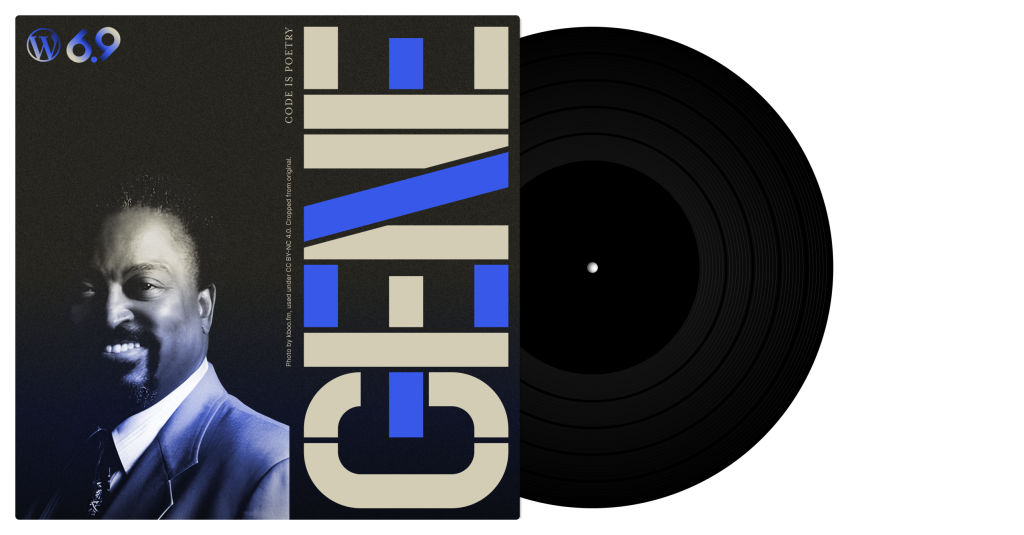
Named in honor of the soulful American Jazz pianist Gene Harris—a veteran known for his elegant, bluesy infusion of jazz with gospel and soul—this release brings a signature warmth and rich texture to the core editor and dashboard experience.
Watch Gene Harris:
Introducing Notes: Collaboration, Block by Block

Forget endless back-and-forth emails and misplaced feedback. The new Notes feature brings collaboration directly into the editor.
- Seamless, Block-Level Feedback: Users can now leave comments and notes attached directly to specific blocks within posts and pages.
- Actionable Alignment: This streamlines the review process, allowing teams to stay aligned, track changes, and turn feedback into action right on the content canvas. Whether you’re refining copy or tweaking design, collaboration happens exactly where the work is being done.
Power Up: Command Palette Everywhere & Abilities API

WordPress 6.9 delivers significant advancements for power users and developers charting the future of the platform.
Command Palette Throughout the Dashboard
Your tools are always within reach. The expanded Command Palette is now accessible from any part of the dashboard—from the post editor and Site Editor to the plugins screen. This makes it faster than ever for power users to navigate, operate, and execute commands across their entire WordPress site with just a few keystrokes.
The Abilities API: Unlocking the Future of Automation
This release lays the essential groundwork for next-generation automation. The unified Abilities API provides a standardized, machine-readable permissions system for site functionality.
- Smarter Workflows: Developers can now register, validate, and execute actions consistently across any context—including PHP, REST endpoints, and crucial for the future, AI agents.
- This new system paves the way for sophisticated, automated, and smarter WordPress experiences, making sites more connected and future-proof.
Intuitive Creation: Design That Adapts

Building beautiful, dynamic content is now faster and more visually intuitive.
- Visual Drag and Drop: Designing layouts flows naturally with clearer drag handles and a live preview that shows exactly what you’re moving, accelerating the page-building process.
- Fit Text to Container: A brilliant new typography option for the Paragraph and Heading blocks automatically adjusts the font size to fill its container perfectly. This eliminates manual tweaking and is ideal for impactful banners, callouts, and standout moments in your design.
- New Practical Blocks: The release includes useful new blocks like the Accordion block for collapsible content, a Time to read block for automatic estimates, and a MathML block for clear, accessible display of complex math formulas. Plus, Gallery blocks now support fixed Aspect Ratio for consistent image alignment.
Enhanced details and new blocks
Aspect ratio in gallery

You can now set a fixed aspect ratio for images in gallery blocks. This helps your galleries look more consistent and aligned without any extra effort or adjustments.
Accordion block

Add collapsible sections to any page with the new accordion block. It’s great for FAQs, menus, or long content you want to keep neat and easy to explore.
Time to read block

Show how long a post takes to read with an automatic time estimate. This helps readers know what to expect before they start reading your content.
Math block & format

You can now add math formulas using the new MathML block. It’s made for clear, accessible display of complex math directly in the editor window.
Bind controls to external sources

Enhance the integration of external services by granting third-party developers the ability to extend the block bindings user interface with their own sources.
Performance & Accessibility: Core Strength

Like any major release, “Gene” delivers vital improvements under the hood for a stronger, faster user experience.
- Significant Performance Enhancements: WordPress 6.9 boasts an improved Largest Contentful Paint (LCP) metric, optimizing site loading for visitors. This is achieved through on-demand block styles for classic themes, minified block theme styles, fetchpriority support for scripts, and refined core optimizations like optimized database queries and improved caching.
- Accessibility Focus: With over 70 accessibility fixes and enhancements, this update sharpens the core WordPress experience. Improvements include better screen reader announcements, globally hiding unnecessary CSS-generated content from assistive tech, and fixes to ensure typing focus remains stable even when using autocomplete suggestions.
AI software tools
The latest WordPress release, WordPress 6.9, marks a crucial behind-the-scenes step toward an AI-powered future, even without many flashy new features for users. The most important addition is the Abilities API, which acts as a central registry—a sort of “instruction manual”—for everything your WordPress site, plugins, and themes can do. By registering functions as clearly defined “abilities” (e.g., create-post, analyze-seo), WordPress is standardizing its chaotic ecosystem into a format that AI tools (like ChatGPT or Google’s Gemini) can easily read, understand, and interact with securely. This foundation will allow developers to safely build the next generation of intelligent agents and automated workflows right into the platform.
Download and install it yourself
For anyone comfortable getting their own hosting and domain (or if you already have wordpress installed you can upgrade the version in your admin dashboard).